A desktop tool for managing multilingual string resources across your software projects. Language-agnostic by design — define your translations once, then generate output for any platform through user-editable Mustache templates. From Delphi and C++ to Flutter and Rails, one project feeds them all.
- Requires Windows 10 or later (64-bit).
- No .NET framework or JAVA SDK dependency!
- Free Edition includes full project management, translation, code generation, import, and quality checks.
Project Navigator & Translation Dashboard
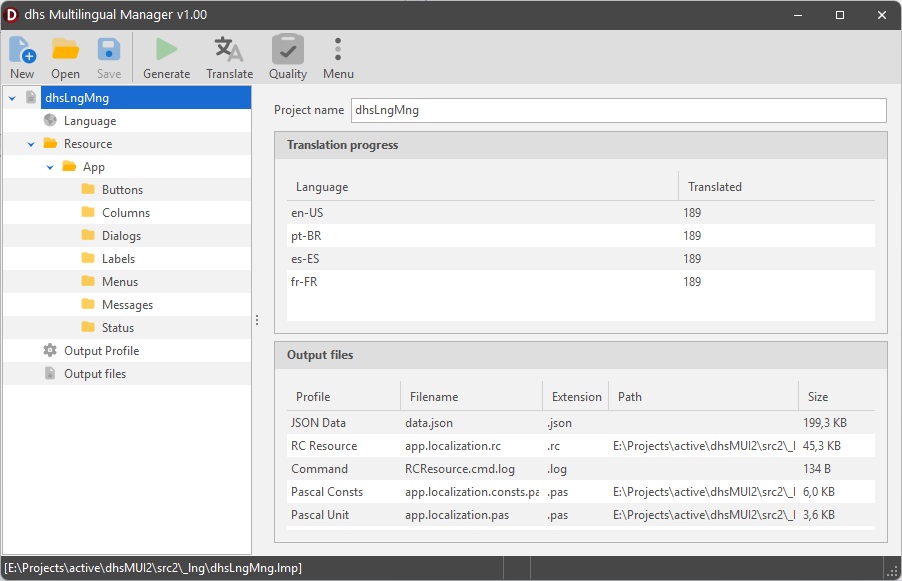
The navigator tree organizes your project into languages, resources, output profiles, and generated files. The project summary shows per-language translation progress at a glance. Select any resource to see its items with flag icons indicating translation completeness — green for translated, red for missing. Drag and drop items between categories to reorganize without losing data.
Resource Editor with Categories
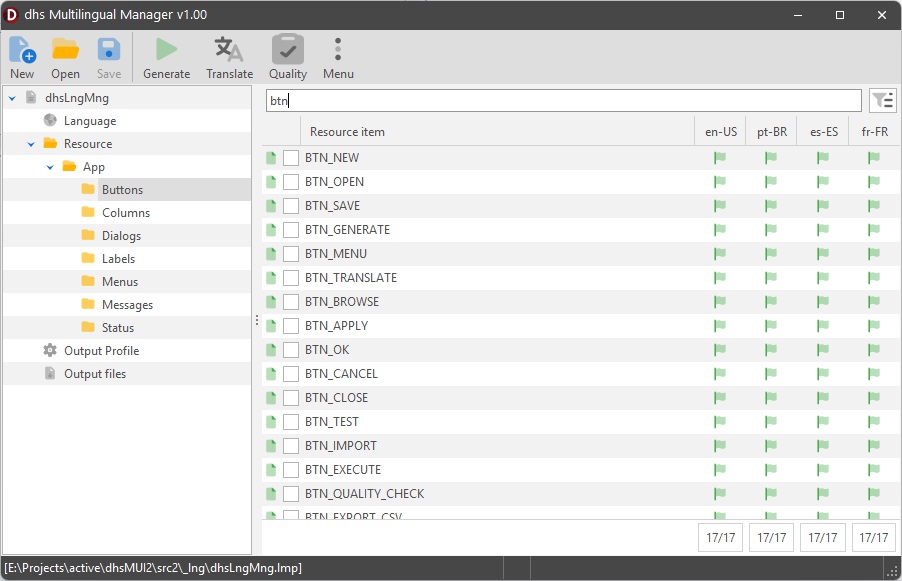
Each resource file groups string items into categories (Buttons, Menus, Dialogs, Messages, etc.) that you define. The resource list shows all items with per-language translation values, real-time search filtering, and a missing-translation toggle that instantly shows only untranslated strings. Double-click any item to open it in a modeless editor — edit multiple translations side by side without closing windows.
Shared Resource Libraries
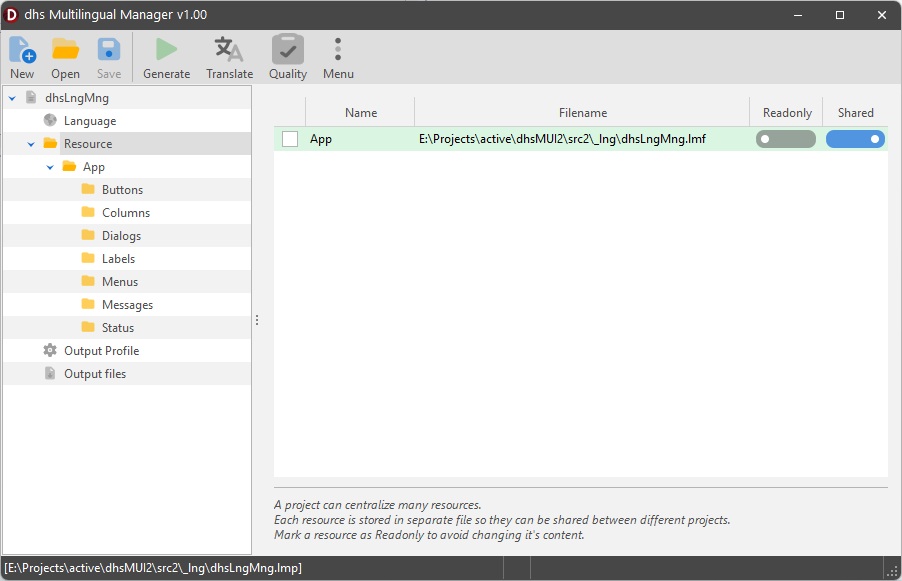
Maintain common UI strings — "Save", "Cancel", "File", "About", "Error" — in shared .lmf files included as read-only assets across multiple projects. Translate once, reuse everywhere. Shared libraries appear in the navigator with a lock icon and participate fully in code generation, but cannot be modified from consuming projects. This enforces translation consistency and eliminates redundant work across your entire product lineup.
Translation Manager
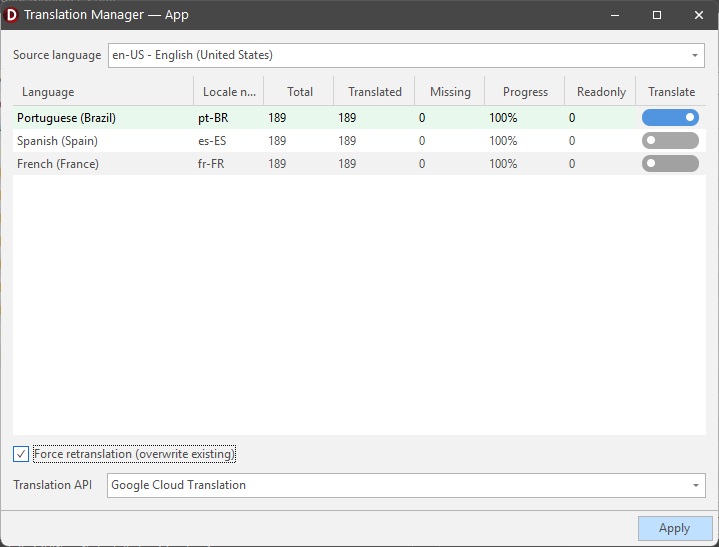
The Translation Manager shows per-language statistics: total strings, translated, missing, and progress percentage. Select target languages with checkboxes — languages with missing translations are pre-checked. Translate in bulk via Google Cloud Translation API with live progress updates in the title bar. The stats grid refreshes automatically as translations complete, so you can watch coverage grow in real time.
Template-Driven Code Generation
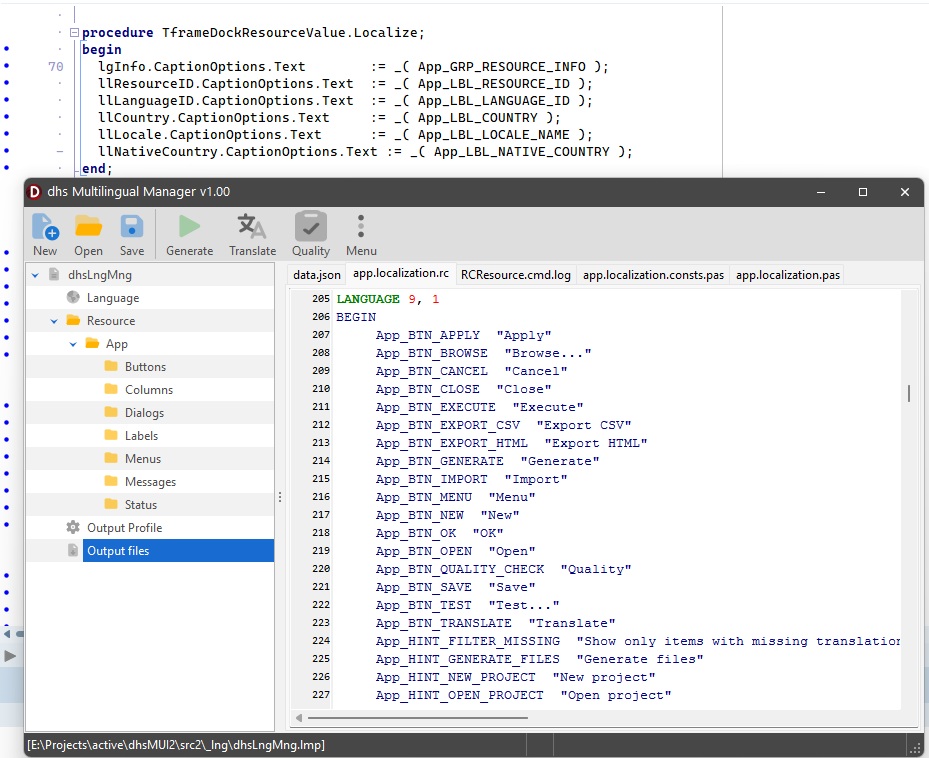
Mustache templates transform your translation data into any output format. Ship with templates for Windows RC scripts (STRINGTABLE + flag resources), Delphi Pascal units (runtime localization with a _() function), and a constants-only unit. Create custom templates for C# (.resx), Android (strings.xml), iOS (.strings), Flutter (.arb), JSON (i18next), YAML (Rails i18n), and PO/POT (gettext). Built-in transforms handle format-specific escaping: escapeRC for RC double-quoting, escapeString for C-style backslash escaping, and jsonEscape for JSON.
Output Profiles & Build Integration
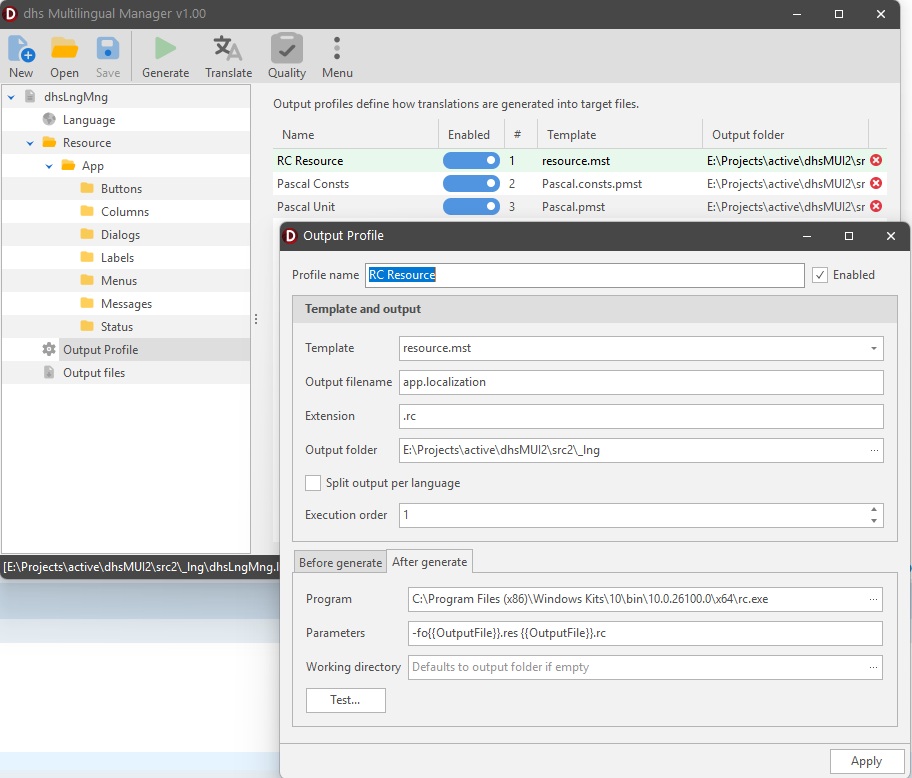
Define multiple output profiles per project — each with its own template, output filename, extension, folder, and execution order. Enable SplitPerLanguage to generate one file per language with {{Language}} and {{LanguageID}} filename tokens. Attach before/after commands to profiles: run the RC compiler after generating .rc files, copy outputs, or trigger custom build steps. Preview all generated files with syntax highlighting. Use CLI mode (--project, --generate) for headless generation in CI/CD pipelines.
Multi-Format Import
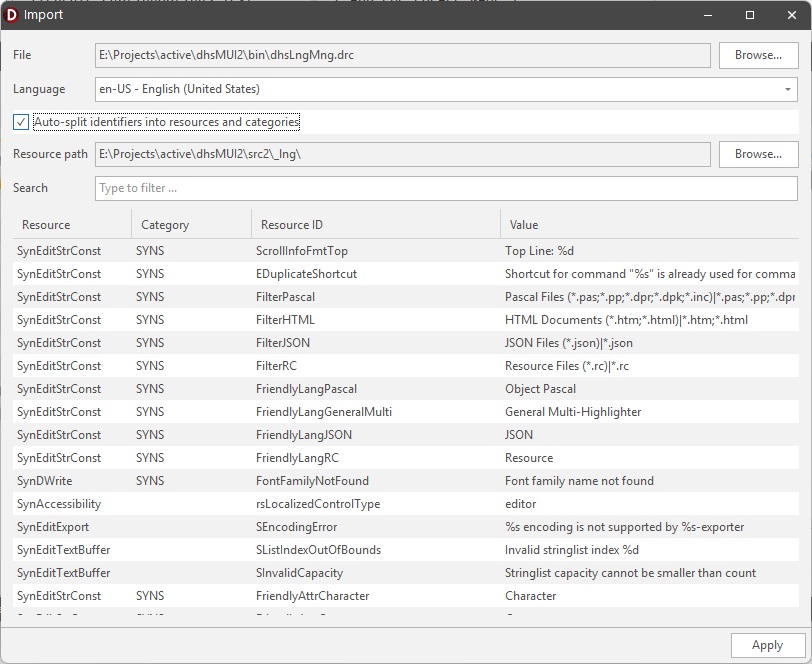
Import existing translations from 9 formats: Delphi .DRC (with auto-split by identifier), Windows .RC (STRINGTABLE), C# .resx, Android strings.xml, iOS .strings, PO/POT (gettext with msgctxt), flat or nested JSON, Flutter .arb, and YAML (Rails i18n). The import dialog shows a preview grid, lets you choose the target language, and merges into existing resources or creates new ones. A combined "All Supported" file filter makes it easy to browse any format.
Quality Checks & Reports
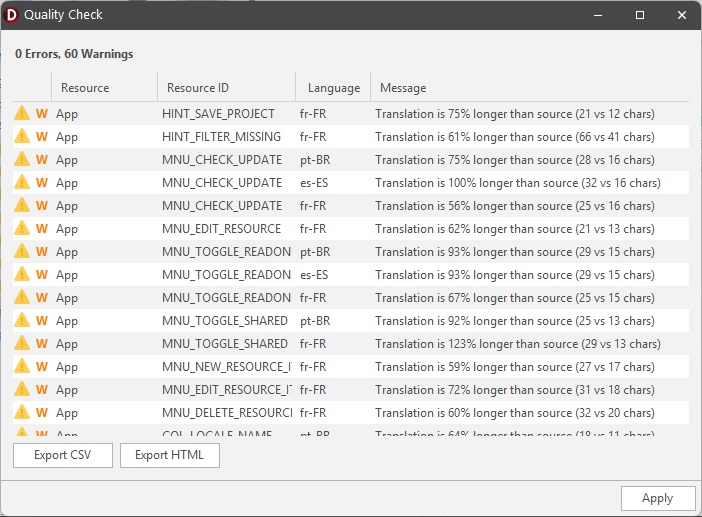
Run five automated checks across your entire project: missing translations, printf/positional placeholder mismatches between source and target, translations significantly longer than their source, duplicate ResourceIDs across resources, and empty ResourceIDs. Results appear in a dialog with severity icons (error/warning), color-coded rows, and a summary count. Double-click any issue to jump directly to the resource item. Export the full report as CSV or styled HTML for review with your translation team.
The Free Edition includes full project management, all translation features, code generation, multi-format import, quality checks, and CLI mode — no time limits, no restrictions.
Licenses are valid for an entire major release series. Minor updates and patch releases are always free within the same major version.